Free long-tail keyword research tool
Find your new long tail niche keywords in less than 3 minutes with our free long tail keyword generator.
1. Start your keyword research with a seed keyword
Let’s say you want to write a blog post about homemade coffee. Just enter the phrase into the “Search by Keyword” tab, choose your target location and language, and click “Find keywords”.
KWFinder will generate up to 10,000 keyword ideas, depending on your plan. You can explore keyword ideas from 3 data sources:
- Related keywords
- Autocomplete
- Questions
The “Related keywords” tab usually gives you the broadest list, while the “Autocomplete” and “Questions” tabs help you uncover more specific long-tail opportunities and search intent variations.
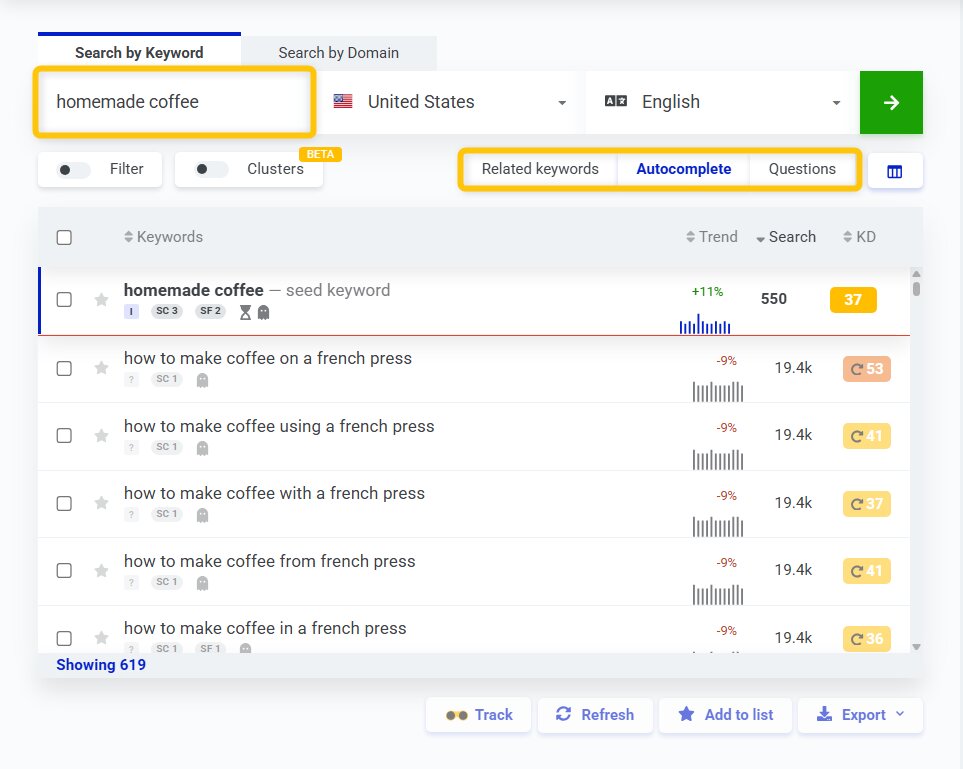
Once the keyword ideas appear, it’s time to analyze them. Our free long-tail keyword research tool will show you key SEO and PPC metrics directly in the table, including:
- Trend - search volume trend over the last 12 months
- Keyword search volume - average monthly search volume
- CPC - average cost per click in Google Ads
- PPC - paid competition level
- Keyword Difficulty (KD) - an estimate of how hard it is to rank on page 1 for the keyword
- Search intent - what is the goal of a Google user when typing the given search query
- SERP content - a type of content that is ranking at the top of the Google SERP (e.g., blog posts, service pages, home pages, etc.)
KWFinder can also help you validate seasonal trends, spot promising topics, and prioritize keywords that match your audience and your site’s authority.
Focus on long-tail keywords with lower keyword difficulty
A great keyword is not just about volume. The sweet spot is a keyword with clear search intent, decent search volume, and difficulty you can realistically compete with.
That’s why long-tail keywords are often a better choice than broad head terms - especially for newer websites, bloggers, affiliates, niche sites, and local businesses.
For example, a broad keyword like “coffee” may be too competitive. But a more specific phrase, such as “how to make strong coffee,” can be easier to rank for while still bringing highly relevant traffic.
In KWFinder, you can use the Filter option to show only keywords within your preferred KD range and narrow your list down to realistic opportunities.
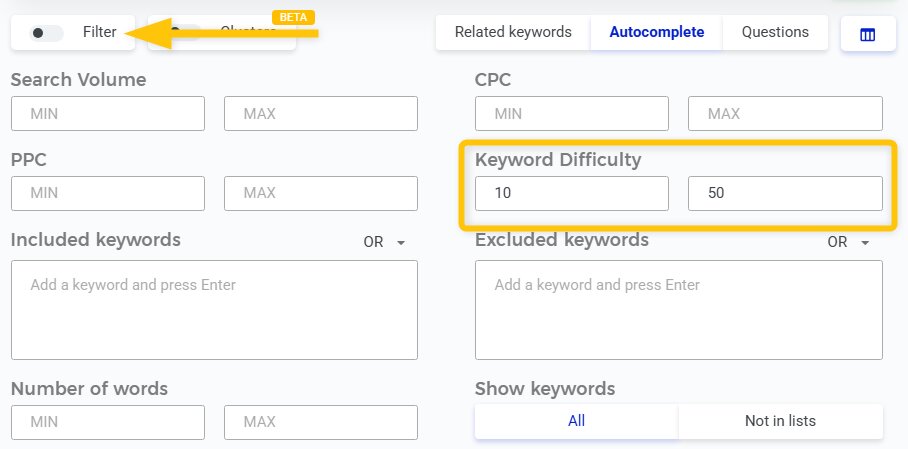
This is where KWFinder shines: it helps you quickly surface easy-to-rank long-tail keywords instead of wasting time on terms your site is unlikely to rank for.
Check the SERP before you target the keyword
SEO metrics are only half of the story. Before you create content, you should inspect the actual Google results to see who already ranks there and whether you can outrank them.
KWFinder shows a SERP overview for the selected keyword, so you can review the pages ranking on the first SERP and compare their strength.
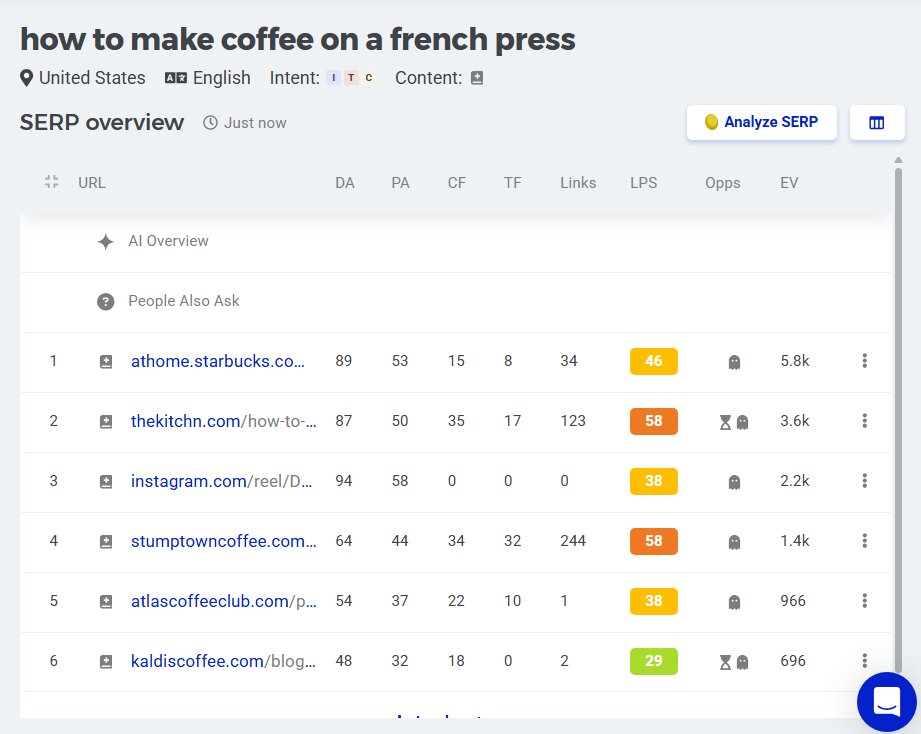
For deeper analysis, you can open the keyword in SERPChecker and review additional SEO metrics, SERP features, and click-through-rate insights. This helps you understand whether the keyword is worth targeting and what kind of page is most likely to rank.
You can also use Relative Keyword Difficulty (RKD) to estimate how hard it would be for a specific page on your site to rank for a keyword based on that page’s link strength.
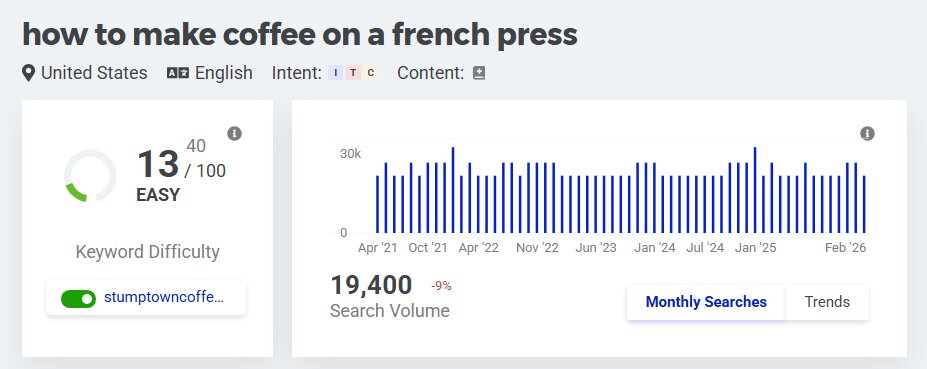
That makes the analysis much more practical than looking at a general difficulty score alone.
Find competitor keywords and uncover content gaps
Don’t know where to start? Switch to “Search by Domain” and enter a competitor’s domain or exact URL.
KWFinder will show you the search terms they already rank for, helping you discover topics, content angles, and long-tail keywords that work in your niche.
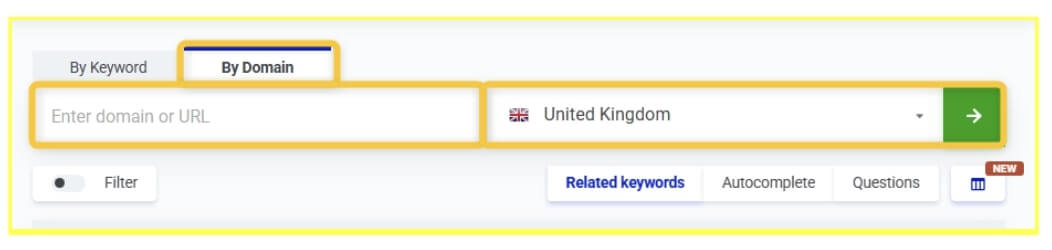
You can go one step further with our Keyword Gap Analysis feature, which reveals keywords your competitors rank for but your website does not. This is a fast way to build a content plan around missed opportunities.
Expand the research and save your best keywords
Need even more ideas? Our free long-tail keyword generator lets you generate more keyword suggestions from an existing term, which is useful for branching into subtopics and building topical clusters around your main keyword.
As you narrow down your list, you can apply filters, save keywords into lists, and export them for your content workflow.
That makes it easy to turn keyword research into actual blog posts, landing pages, or category pages.
Frequently asked questions
What is a long-tail keyword?
A long-tail keyword is a more specific search query, usually made up of multiple words. Compared with broad keywords, long-tail terms tend to have clearer intent, lower competition, and stronger conversion potential because they match what the searcher is really looking for. For more information, make sure to check out our guide about long-tail keywords.
What is the difference between a seed keyword and a long-tail keyword?
A seed keyword is the broad starting term you use to begin keyword research, such as “coffee” or “coffee machine”.
A long-tail keyword is a more specific variation derived from that topic, such as “best coffee machine for small kitchen” or “how to make strong coffee at home”.
Seed keywords help you discover the topic; long-tail keywords help you target specific search intent.
How do you find good long-tail keywords?
Start with a seed keyword in KWFinder, then review related keywords, autocomplete queries, and questions. After that, filter the results by keyword difficulty, analyze the SERP, and prioritize keywords that combine relevance, realistic ranking potential, and clear intent.
You can also use “Search by Domain” and “Keyword Gap Analysis” features to find proven keyword opportunities from competitors.
Is Mangools KWFinder free for long-tail keyword research?
Yes, absolutely! With a free Mangools account, you can get 5 keyword lookups every 24 hours, plus access to related and competitor keyword research to help you discover valuable long-tail keyword opportunities.
Start your long-tail keyword research today
Find relevant long-tail keyword ideas, analyze their difficulty, and uncover opportunities you can actually rank for - all in one place.